


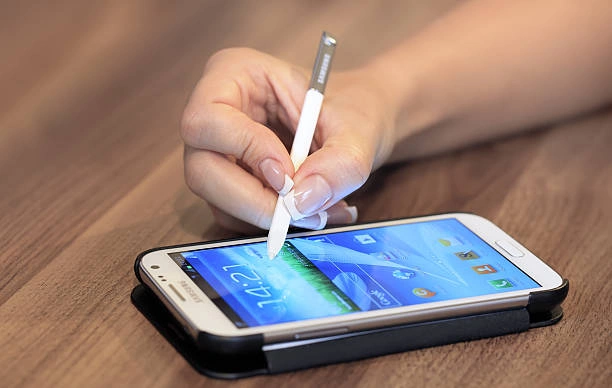
Speed Up Your Slow Android Phone
Hello people,
Do you want to Speed Up Android Phone for better performance?
Speed Up Android Phone is a common need for many users. Over time, Android phones often become slower due to several reasons. Apps run in the background, storage gets full, and cache builds up. These factors can cause lag, freezing, and poor overall performance. The good news is that you can easily fix these issues. By following simple steps and using smart tools, you can make your device feel new again. In this article, you will learn the best ways to improve your phone’s speed and stability.
1. Clear Cache and Junk Files Regularly
One of the main causes of slow performance is cache data. Cached files are temporary files stored by apps to load faster. However, too much cache can occupy space and slow the phone. You should clear cache and junk files every few days. Go to your phone’s settings and open “Storage.” Tap on “Cached Data” and select “Clear.” You can also use apps like Files by Google for automatic cleanup. This method frees up space and allows apps to run faster. Keeping your storage clean helps your phone stay quick and responsive.
2. Uninstall or Disable Unused Applications
Many users install multiple apps and forget about them later. These unused apps still consume storage and background resources. Removing them improves your phone’s speed and performance. Open “Settings,” then go to “Apps” or “Application Manager.” Review the list and uninstall what you no longer need. If the app is preinstalled, choose “Disable” instead of uninstalling. This stops the app from running or updating. Regularly checking for unnecessary apps helps maintain smooth performance and saves battery.

3. Limit Background Processes
Too many apps running in the background can reduce performance. Managing these background processes can make your Android phone faster.
Here are some easy tips to control background activity:
- Open “Settings” and tap on “Battery.”
- Check which apps consume more power or data.
- Restrict background activity for power-hungry apps.
- Close unused tabs and widgets from the home screen.
This process stops apps from using resources when not needed. You will notice a faster response time and longer battery life.
4. Update Your Software and Apps
Outdated software can cause your phone to run slowly. Updates include performance improvements and bug fixes from the manufacturer. Always keep your operating system and apps up to date. To check for updates, go to “Settings” and tap “System Updates.” If updates are available, install them immediately. You should also visit the Play Store regularly and update your apps. Newer versions are usually optimized for better performance. Regular updates protect your device and ensure smooth operation.
5. Reduce Animations and Visual Effects
Android uses animations to make transitions look smooth. However, these effects require system resources. Reducing animations can make your phone feel much faster.
Follow these quick steps:
- Open “Settings,” then tap “About Phone.”
- Tap “Build Number” seven times to unlock developer mode.
- Go back to “Developer Options.”
- Reduce the scale for Window, Transition, and Animator duration.
Lower animation levels make your device respond instantly to touches. It’s a simple yet effective method to boost speed without any app.

6. Restart and Use Performance Mode
Restarting your phone clears temporary files and refreshes memory. It’s a basic but powerful way to fix lag instantly. Restarting once a week keeps the phone responsive. Most new Android devices also include a built-in Performance Mode. You can find it in “Settings” under “Battery” or “Device Care.” Activate this mode when gaming or multitasking. It optimizes the system to use full CPU and memory power. This ensures faster app launches and smoother multitasking experience.
Extra Tip: Avoid Live Wallpapers and Heavy Widgets
Live wallpapers and large widgets consume more memory and battery. They constantly run in the background and slow down your phone. Switching to a static wallpaper reduces the load on the processor. You should also remove unnecessary widgets from the home screen. Keep only the essential ones like clock or weather. These small changes make a noticeable difference in performance. A simple interface always works faster and saves power efficiently.
Conclusion
Speed Up Android Phone techniques are simple yet very effective. Clearing cache, uninstalling unused apps, and limiting background processes are great starters. Updating software, reducing animations, and using performance mode also help. Avoiding live wallpapers and heavy widgets further improves speed. With these methods, your phone will perform faster and last longer. Regular maintenance ensures your Android device runs like new every day. Try these steps now and enjoy a smoother experience.
FAQs About Speed Up Android Phone
1. Why is my Android phone running slow?
Too many apps and cache files can slow your Android phone.
2. How often should I clear my phone cache?
Clear cache once every few days for better performance.
3. Do updates help Speed Up Android Phone?
Yes, updates fix bugs and improve system performance.
4. Can live wallpapers slow my Android device?
Yes, live wallpapers use memory and reduce overall speed.
5. What is the best app to Speed Up Android Phone?
Files by Google is reliable for cleaning and optimization.


Leave a Reply